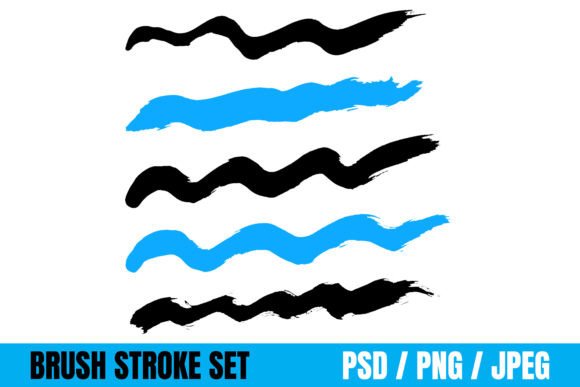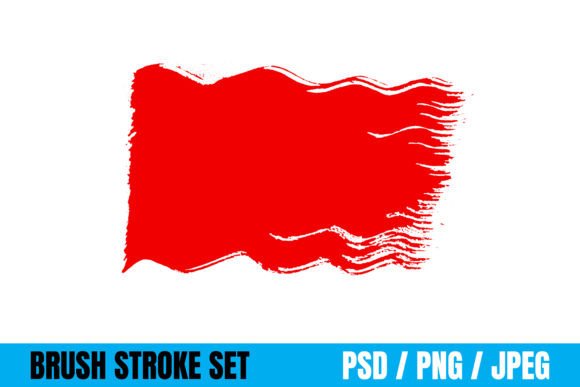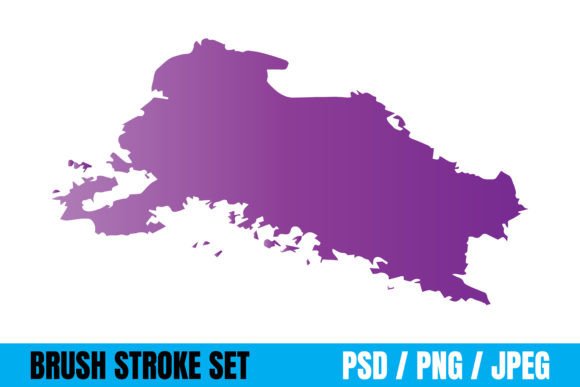
Unlocking Creativity: The Power of Wavy Brush Strokes and Grungy Textures
In the ever-evolving landscape of digital design, the quest for authenticity often leads creators back to the tactile world of traditional art. While sleek vectors and perfect geometric shapes have their place, there is an undeniable charm in the imperfect, the organic, and the raw. This is where wavy brush strokes and grungy brush effects come into play. These elements bridge the gap between digital precision and human expression, offering a versatile toolkit for designers, crafters, and marketers alike.
Whether you are designing a book cover that needs to feel vintage or creating a social media banner that demands attention, understanding how to utilize these textures can elevate your work from good to exceptional. This guide explores the significance of these artistic tools, their practical applications across various industries, and how the right file formats ensure maximum flexibility for your creative projects.
The Artistic Appeal of Imperfection
To understand why wavy brush strokes and grungy effects are so popular, we must first look at the psychology of design. In a world saturated with high-definition, computer-generated imagery, audiences often crave something that feels "hand-made." A perfectly straight line can sometimes feel sterile, whereas a wavy brush stroke introduces movement, rhythm, and a sense of human touch.
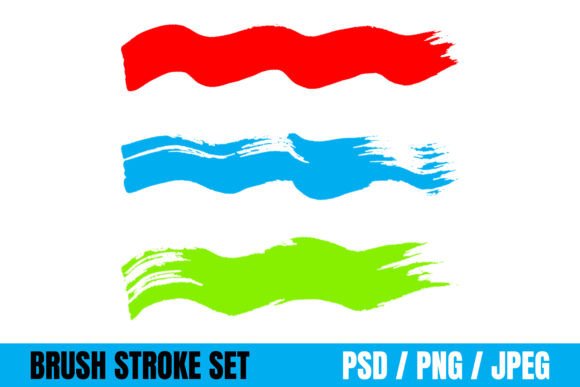
Wavy brush strokes mimic the natural flow of paint applied by a hand holding a brush. They vary in thickness, opacity, and direction, creating a dynamic visual language. On the other hand, grungy brush effects introduce texture, noise, and wear. They simulate the look of aged paper, splattered ink, or distressed surfaces. Together, they add depth and character to flat designs, making them more engaging and memorable.
Why Texture Matters in Modern Design
Texture is not just about aesthetics; it serves a functional purpose in communication. It helps establish mood and tone instantly. For instance, a clean, corporate logo might benefit from a subtle grunge overlay to suggest heritage and reliability, while a vibrant festival poster might use bold, wavy strokes to convey energy and chaos.
These effects fit seamlessly into modern life and business because they resonate with current trends like retro revivalism, streetwear culture, and the "lo-fi" aesthetic. They allow brands to connect emotionally with consumers who value authenticity over polish.
Versatile Applications Across Industries
One of the greatest strengths of this set of paintbrush strokes is its adaptability. Because these assets are created to be used anywhere, they serve as a foundational element for a wide array of creative endeavors. Let's explore how they can transform specific projects:
- Craft Projects and DIY: For hobbyists and crafters, these digital strokes can be printed onto canvas, fabric, or cardstock to create unique handmade cards, scrapbook layouts, or wall art without needing advanced painting skills.
- T-shirt and Apparel Design: The fashion industry frequently utilizes grungy effects to create edgy, urban looks. A simple text slogan becomes a statement piece when overlaid with a distressed brush texture, appealing to youth culture and streetwear enthusiasts.
- Packaging and Branding: Product packaging stands out on crowded shelves. Using wavy strokes for borders or grunge textures for backgrounds can make a product feel artisanal, organic, or premium, depending on the execution.
- Book Covers and Editorial Design: Authors and publishers often turn to these effects to evoke genre-specific moods. A mystery novel might use dark, heavy grunge strokes, while a children's story could feature playful, colorful waves.
- Logos and Identity: While logos require scalability, incorporating a stylized brush stroke can give a brand a unique signature. It suggests creativity and fluidity, setting the brand apart from competitors using standard fonts.
- Websites and Digital Media: In web design, these strokes act as section dividers, background elements, or accent graphics. They break up the monotony of grid-based layouts and guide the user's eye through the content.
- Social Media Banners: Attention spans on platforms like Instagram, Facebook, and LinkedIn are short. Bold, textured banners grab attention immediately, ensuring your message isn't lost in the scroll.
Technical Flexibility: File Formats Explained
A common misunderstanding among beginners is assuming that all digital assets are created equal. However, the utility of your paintbrush strokes depends heavily on the file format provided. This set includes PSD, JPEG, and PNG files, each serving a distinct purpose in the workflow.
Understanding the Formats
- PSD (Photoshop Document): This is the most powerful format for professional designers. PSD files retain layers, allowing you to manipulate individual brush strokes, change colors, adjust opacity, and resize elements without losing quality. If you need to customize the effect to match a specific brand color palette, the PSD version is essential.
- PNG (Portable Network Graphics): Ideal for web design and overlays, PNG files support transparency. This means you can place a wavy brush stroke directly over a photo or a colored background without an ugly white box around it. It is the go-to format for quick edits in presentation software or basic graphic editors.
- JPEG (Joint Photographic Experts Group): Best for final outputs where file size matters, such as sharing on social media or printing large batches of materials. While JPEGs do not support transparency and are raster-based (meaning they can lose quality if resized significantly), they are universally compatible with almost every device and software.
Having access to all three formats ensures that you are never stuck. You can start with the PSD for deep customization, export to PNG for web integration, and save as JPEG for final distribution. This versatility makes the asset pack a valuable long-term investment for any creative portfolio.
Common Misconceptions and How to Avoid Them
Despite their popularity, there are some assumptions users make about brush strokes that can hinder their effectiveness. One common mistake is overusing grunge effects. When applied too heavily, a design can look messy rather than artistic. The key is balance. Use these strokes to accentuate, not overwhelm. Let the main content breathe and use the texture to frame or highlight specific areas.
Another misconception is that these effects are only for "rough" or "industrial" designs. In reality, soft, pastel-colored wavy strokes can create a dreamy, ethereal atmosphere perfect for wedding invitations or beauty product marketing. The style of the stroke is determined by how you apply it, not just the shape itself.
Furthermore, many believe that using pre-made brushes lacks originality. However, great design is often about curation and combination. By layering different strokes, adjusting blending modes, and combining them with typography and photography, you create a unique composition that is distinctly yours. These tools are the ingredients; you are the chef.
Integrating Brush Strokes into Your Workflow
For those new to digital design, integrating these assets is simpler than it appears. Most graphic design software, including Adobe Photoshop, Illustrator, GIMP, and Canva, supports the importation of PNG and PSD files. Here is a basic approach to getting started:
First, identify the focal point of your design. Is it a headline? A product image? Once identified, select a brush stroke that complements the shape of that focal point. For example, use a horizontal wave to underline a title or a vertical splash to draw the eye down a page. Next, consider the color. While the default strokes may be black or white, changing the hue to match your brand identity is a crucial step. Finally, adjust the opacity. Sometimes, a 30% opacity grunge texture adds just enough depth without distracting from the core message.
The Future of Organic Digital Art
As technology advances, the line between digital and physical art continues to blur. Tools that simulate real-world textures are becoming more sophisticated, but the fundamental appeal remains the same: the desire for connection. In education, these tools help students understand texture and composition. In business, they help brands tell stories that resonate on a human level.
Whether you are a seasoned graphic designer looking to expand your library or a beginner exploring the world of creative expression, this set of paintbrush strokes offers a gateway to limitless possibilities. By mastering the use of wavy lines and grungy textures, you gain the ability to infuse your projects with personality, emotion, and a timeless quality that resonates with audiences everywhere.
Remember, the best design is not always the most polished; it is the one that speaks the loudest. With the right tools and a bit of imagination, your next project could be the one that captures the world's attention.