Square Coloring Book Page Mockup Brushes: A Practical Guide for Creators
For anyone creating digital art, specifically mandala coloring pages or KDP content, the way you present your work is just as critical as the design itself. Many creators spend hours perfecting a line drawing only to display it in a flat, unengaging manner that fails to capture the imagination of potential buyers. This is where Square Coloring Book Page Mockup Brushes and similar presentation tools become essential. They bridge the gap between a raw digital file and a compelling visual story that shows exactly how your product looks in the real world.
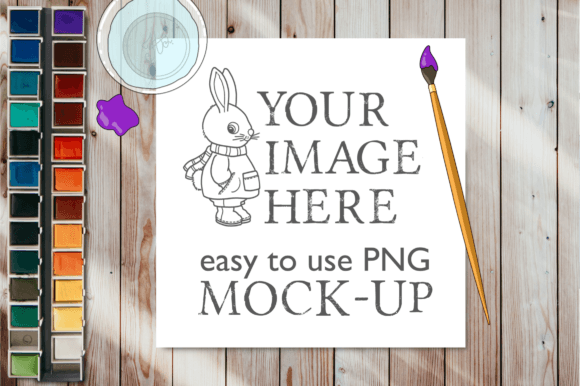
The specific resource known as Mock-upSquare Page 22A offers a streamlined solution for displaying square-shaped designs. It includes high-resolution PNGs with transparent backgrounds, allowing you to easily layer your artwork over realistic elements like hands holding crayons or textured paper surfaces. However, simply downloading these assets does not guarantee professional results. To truly leverage these tools, you must understand common pitfalls regarding file usage, resolution, and context.
Understanding the Value of Realistic Presentation
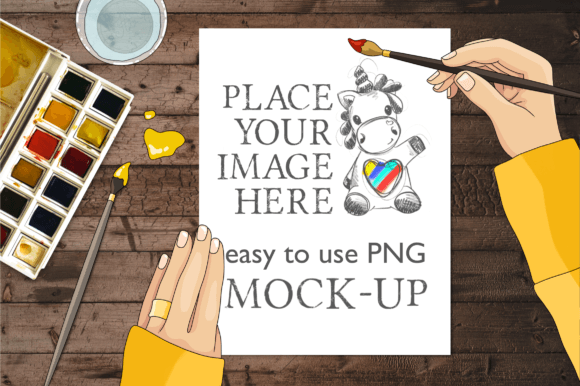
Why do so many creators struggle to sell their coloring pages? Often, the issue is not the quality of the art but the lack of context. A flat image on a white background tells a customer nothing about the scale, texture, or intended use of the page. When you utilize Square Coloring Book Page Mockup Brushes, you transform a static image into a scene. You show a hand holding a crayon poised over the page, suggesting action and creativity. This psychological cue helps the viewer imagine themselves using the product.
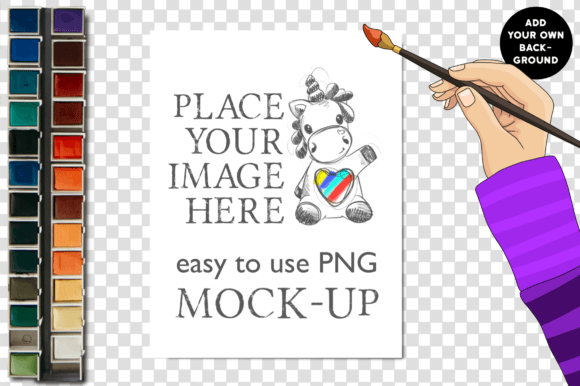
These mockups are particularly valuable for those who do not use complex software like Adobe Photoshop. The included files are designed for simplicity: one PNG contains the background and the blank square page at 3000×2000 pixels, while another features a hand holding a crayon with a transparent background. This setup allows users to assemble a professional-grade image in basic editors, making high-end marketing accessible to beginners and hobbyists alike.
Common Mistakes When Using Digital Mockups
Despite the ease of use, there are several misunderstandings that can undermine the effectiveness of these tools. One frequent error is ignoring the resolution requirements. While the provided files are sized at 3000×2000 pixels, some creators attempt to stretch these images to fit large banners or print advertisements without adjusting the settings. This leads to pixelation and blurriness, which immediately signals low quality to potential customers.
Another overlooked detail is the lighting consistency. If you place your vibrant coloring page onto a mockup that features a dimly lit room or a specific shadow direction, the result can look disjointed. The eye detects when an object does not "belong" in its environment. For instance, if your digital page has harsh, bright edges but the mockup hand casts soft shadows, the composite will look fake. This disconnect reduces trust and can lower conversion rates on platforms like Etsy or Amazon KDP.
Avoiding File Format Confusion
It is also crucial to understand what you are buying. These are digital products for instant download; no physical items will be shipped. Some users mistakenly expect the fonts used in any accompanying text to be included. They are not. Attempting to recreate the exact typography without the correct font files can lead to mismatched styles that clash with the aesthetic of the mockup. Always check the license and file list before purchasing to ensure you have everything needed for your workflow.
Strategies for Effective Application
To get the best results from Square Coloring Book Page Mockup Brushes, focus on preparation and execution. Before applying your design, ensure your artwork is saved in a format compatible with the transparent layers. Since the background PNGs are designed to lay over hands, crayons, and brushes, your coloring page should ideally be placed on a separate layer above the background but below the hand element to create depth.
Consider the color palette of your design against the mockup's environment. If the mockup features warm, earthy tones, a neon-colored mandala might stand out too aggressively. Instead, choose colors that complement the scene or adjust the saturation of your design slightly to blend more naturally. This attention to detail elevates the presentation from a simple collage to a cohesive marketing asset.
Furthermore, do not rely on a single mockup for all your listings. Variety keeps your portfolio fresh and appealing. Use the Mock-upSquare Page 22A series for different angles or contexts. One listing might feature the hand holding a blue crayon, while another could show the page resting on a wooden table. This variety demonstrates the versatility of your coloring book and appeals to different customer preferences.
Evaluating Quality Before You Decide
Before integrating these tools into your workflow, take a moment to evaluate the specific needs of your project. Are you targeting a specific demographic, such as adults seeking stress relief through mandalas, or children looking for fun activities? The choice of mockup should align with this audience. A sophisticated, clean presentation works well for adult coloring books, while a brighter, more playful setup suits children's content.
Check the technical specifications carefully. Ensure the 3000×2000 pixel size meets the requirements of your chosen platform. For example, social media posts often require different aspect ratios than online shop thumbnails. While the provided dimensions are versatile, you may need to crop or resize them without losing quality. Using the transparent background PNGs correctly ensures that your final image remains crisp regardless of the background color of your website or social media feed.
Practical Steps for Success
- Verify Compatibility: Confirm that your image editing software can handle PNG files with transparency before starting.
- Maintain Resolution: Avoid resizing images larger than their original 3000×2000 pixel dimensions to prevent quality loss.
- Layer Correctly: Place your design between the background and the foreground elements (like the hand) for a realistic effect.
- Review Lighting: Adjust brightness and contrast on your design layer to match the lighting of the mockup scene.
By approaching Square Coloring Book Page Mockup Brushes with a strategic mindset, you avoid the trap of generic, low-effort presentations. Instead, you create a visual narrative that highlights the beauty and utility of your coloring pages. Whether you are building an online portfolio, managing a blog, or launching a new KDP title, the right presentation tool can make the difference between being overlooked and standing out in a crowded market. Remember, the goal is not just to show the page, but to invite the viewer into the creative experience you have designed.