City Procreate Lettering Brush Review
Digital artists often struggle to find the perfect tool that mimics the organic feel of traditional ink while maintaining the precision required for modern design. The City - Procreate Lettering Brush addresses this gap by offering a versatile solution tailored for iPad creators who value both character and control. Whether you are sketching a quick concept or finalizing a detailed illustration, this brush set provides the retro vintage aesthetic and pressure sensitivity needed to bring your ideas to life with authentic thick and thin width variations.
Understanding the Retro Vintage Aesthetic
The defining characteristic of the City - Procreate Lettering Brush is its ability to replicate the texture and flow of classic hand-drawn media. Unlike standard digital brushes that can sometimes appear too sterile or perfectly uniform, this tool introduces a subtle grain and natural variation that evokes the charm of old-school lettering and comic art. This retro vintage aesthetic is particularly valuable when creating content that needs to stand out in a crowded digital landscape filled with vector-perfect graphics.
When you apply pressure with your Apple Pencil, the brush responds dynamically, shifting from fine, delicate lines to bold, heavy strokes. This pressure sensitivity is crucial for achieving the dramatic contrast found in professional line art. It allows for the creation of fluid curves and sharp angles that feel hand-crafted rather than computer-generated. For artists working on cartoons, comics, or stylized illustrations, this tactile response makes the drawing process more intuitive and enjoyable.
Two Distinct Versions for Different Needs
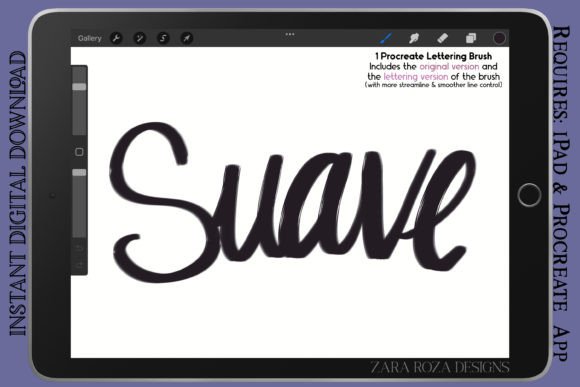
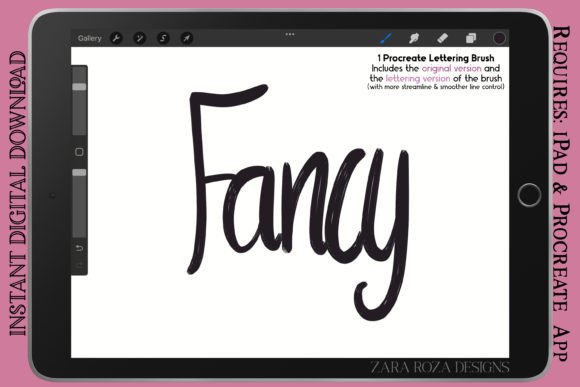
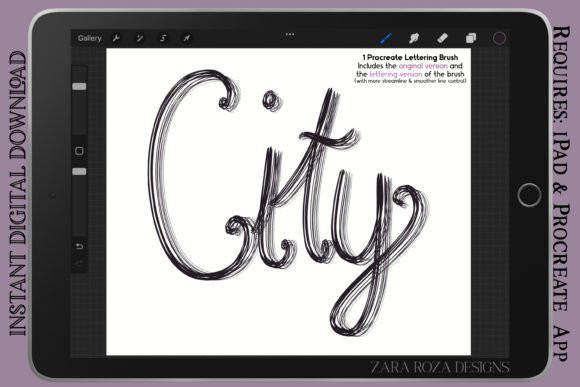
One of the most practical aspects of this product is the inclusion of two distinct versions within a single download. The package comes as a compressed .zip folder containing .brush files, ensuring easy installation into the Procreate app. These two versions cater to different stages of the creative workflow:
- The Original Version: This variant features regular line control. It is designed to suit rough sketching, initial drawing concepts, and types of lettering where a slightly looser, more expressive feel is desired. If you are brainstorming characters or laying down the basic structure of a manga panel, this version offers the freedom to explore without over-polishing every stroke.
- The Lettering Version: This option provides a more streamlined experience with enhanced line control. It is ideal for final hand lettering, smoother lines, and detailed outlining. When precision is paramount—such as when defining the contours of a fashion sketch or adding intricate details to a chibi character—this version ensures consistency and elegance.
Practical Applications Across Creative Fields
The versatility of the City - Procreate Lettering Brush extends far beyond simple doodling. Its robust capabilities make it a staple tool for a wide range of artistic disciplines. Professionals and hobbyists alike can leverage its unique properties to enhance their work in several key areas.
Comic Art, Manga, and Character Design
For creators working in the realm of comic digital art, anime, and manga, having a reliable liner pen or marker is essential. The brush excels at creating the bold outlines necessary for comic panels while allowing for the fine detail work required in facial expressions and clothing textures. Whether you are designing a dynamic superhero pose or a cute chibi character, the brush adapts to your style. The thick-to-thin variation adds depth and dimension to characters, making them pop off the screen with a classic comic book energy.
Fashion Sketches and Portrait Art
In the world of fashion illustration and portrait art, line quality defines the mood of the piece. The City - Procreate Lettering Brush allows designers to create flowing garment lines that suggest movement and fabric weight. Similarly, for portrait artists, the brush can capture the softness of skin tones or the sharp definition of eyes and lips with remarkable accuracy. It is also an excellent tool for drawing makeup charts, where precise application lines help demonstrate techniques clearly to clients or students.
Graphic Design and Calligraphy
Beyond illustration, this brush is a powerful asset for graphic designers and calligraphers. It can be used to create custom typography, logos, and headers that carry a human touch. The smooth line control of the Lettering Version is particularly beneficial for crafting elegant scripts and decorative elements. When combined with other digital tools, it helps build stylised illustrations that blend seamlessly into branding materials, social media posts, and marketing campaigns.
Why Choose This Brush for Your Workflow?
Selecting the right digital tool can significantly impact your productivity and creative satisfaction. The City - Procreate Lettering Brush solves common problems faced by digital illustrators, such as the "plastic" look of default brushes and the frustration of inconsistent line weights. By providing a tool that feels responsive and organic, it bridges the gap between traditional media and digital convenience.
Beginners will appreciate how the brush guides their hand, making complex lettering and shading techniques more accessible. As they gain confidence, the two versions allow them to experiment with different styles without needing to purchase multiple assets. For professionals, the efficiency gained from having a dedicated tool for both sketching and final line art streamlines the production process, reducing the time spent adjusting settings or switching between brushes.
Installation and Compatibility
Getting started is straightforward. Once you download the compressed .zip folder, simply unzip the file to access the .brush format. In the Procreate app on your iPad, tap the "+" icon in the Brushes menu and select "Import." The brush will instantly become available in your library. Because it is optimized for the Apple Pencil, users can expect low latency and high fidelity in their strokes, ensuring that what you see on the screen matches exactly what you intended to draw.
Considerations Before You Start
While the City - Procreate Lettering Brush is highly capable, understanding its best use cases will maximize its potential. It is primarily designed for line art, outlining, and lettering. While it can be used for aesthetic painting or sketching, artists looking for broad wash effects or heavy texturing might need to supplement it with other brushes in their kit. Additionally, while the brush handles pressure sensitivity well, the specific feel can vary slightly depending on the thickness setting of your Apple Pencil tips and the tablet's surface friction.
It is also worth noting that the "retro" look is achieved through specific noise and shape settings. If your project requires ultra-clean, vector-like lines for corporate identity work, you may want to test the Lettering Version first to ensure the level of texture aligns with your brand guidelines. However, for the vast majority of creative projects—from personal blogs to commercial illustrations—the balance of style and utility offered by this brush makes it an invaluable addition to any digital artist's toolkit.
Ultimately, the City - Procreate Lettering Brush empowers creators to express themselves with confidence. Whether you are drafting a new story, designing a fashion collection, or simply enjoying the meditative act of drawing doodles, this tool provides the foundation for high-quality, engaging visual content. By combining the nostalgia of vintage aesthetics with the power of modern technology, it invites artists of all levels to explore new possibilities in their digital artwork.